No products in the cart.


Official guide to connecting, pairing in the Ear Dance app, using the 3 translation modes in 163+ languages and the full touch control map.
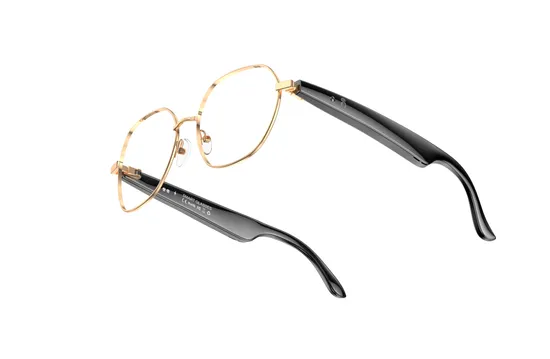
The model AIWOX AX14 (Translate Pro) features a dedicated low-power Bluetrum AB5712F processor, ultra-fast Bluetooth BLE 6.0, high-precision ENC noise-cancelling microphones and anti-blue light or sun lenses. With the companion app, the glasses remove language barriers on trips and at international business meetings.
All AI features, two-way translation and voice transcription are powered by the app Ear Dance:
EarDance, W100 or Smart Glasses) and tap to connect.You wear the glasses and speak in your own language. The phone shows the text and reads the translation aloud to the other person. When they reply into the phone’s microphone, the translation plays privately, only in your ear, through the glasses’ discreet speakers.
Perfect for conferences, international presentations, lectures or guided tours. The phone captures the speaker and streams a fluent translation straight to your glasses.
Photograph restaurant menus, road signs or documents in foreign languages and the app translates them and reads them aloud through the glasses. You can also dictate voice notes that are transcribed automatically.
| Touch Gesture | Music / System Action | Call Action |
|---|---|---|
| 1 Tap (either temple) | Play / Pause | Answer / End call |
| Double Tap Right Temple | Volume Up (Vol +) | — |
| Double Tap Left Temple | Volume Down (Vol -) | — |
| Triple Tap Right Temple | Next Track | — |
| Triple Tap Left Temple | Previous Track | — |
| Long Press (2 sec) | Voice Assistant (Siri / Google) | Reject incoming call |
| 4 quick taps | Remote camera shutter (take a photo with your phone) | |
Preț oficial: 1.200 MDL • Garanție 24 luni • Showroom Chișinău
Pentru conversații fluide față în față, interpretare simultană la conferințe și transcriere automată a notițelor vocale.
Aplicația oficială de traducere neuronală AI. Suportă peste 163 de limbi (Română, Engleză, Rusă, Franceză, Spaniolă, Chineză etc.) și funcționează perfect cu microfoanele ENC cu anulare a zgomotului.
Tu vorbești în ochelari → telefonul rostește traducerea → interlocutorul răspunde în telefon → auzi traducerea în ochelari
Traducere audio continuă în flux pentru conferințe, cursuri și webinarii
Play / Pauză muzică sau Preluare / Închidere apel
Braț drept: Volum + | Braț stâng: Volum -
Braț drept: Melodia următoare | Braț stâng: Piesa precedentă
Declanșator foto de la distanță când deschizi camera telefonului

Caută și adaugă în listă produsele pentru care dorești o ofertă.
Completează informațiile de contact pentru a primi oferta personalizată.
Select at least 2 products
to compare
Leave a comment